Rebooting my reading with a Kindle Jailbreak
By hernil
Many years ago (11 in fact) I bought an Amazon Kindle Paperwhite. It completely changed my approach to reading and within a few years I’m pretty sure I’d read more books on my Kindle than I had before. The simple, small, light, single-purpose device with fantastic battery life quickly became what I dubbed “my most un-regretable tech-purchase” – meaning that while all other tech in my life had pros and cons this was just “without downsides” for mye use.
I then started reading less for probably a bunch of reasons. Meeting my wife meant more shared leasure-time in the form of watching things as opposed to reading. And my unchecked eyesight probably contributed to strain and fatigue when reading without me being able to pinpoint that as a factor then and there.
In the last 11 years Amazon has also become a way worse company and my willingness to purchase books through them has gone way down. Increasing friction albeit fairly marginally.
Jailbreaking
I’ll skip some of the backstory as to why, but I recently decided to have a go at Jailbreaking my Kindle. The final push I needed was this excellent video by Dammit Jeff which outlines really well why you’d want to do it, and showcases a few cool things it opens up your device to. I recommend watching it if you have a Kindle.
Why?
The most important thing is one that is recurring when discussing selfhosting, de-googling or otherwise reclaiming ownership of your data. Your Kindle library is at the mercy of Amazon, and if they decide for whatever reason to do something, they can – and they will. As illustrated in the video with the women who got her account suspended and lost access to her whole digital library. This can of course be mitigated somewhat with backing up those books, but that has become harder to do recently.
Amazon has also a history of removing books already on your device. In 2009, in an example of supreme irony, they deleted George Orwell’s 1984 and Animal Farm from user’s devices.
What else?
Although purchasing from Amazon is the preferred way to put books on your Kindle it is not the only way, and more or less anyone selling ebooks will have a pretty seemless way to send them to a Kindle. All of them have in common that they run through Amazon’s system and servers. Unless you manually connect your Kindle to a computer with a cable and rely on a tool like Calibre. Calibre is great, but it’s objectively a little clunky if you just want to put a book on an e-reader.
So streamlining that part of the reading experience was attractive to me.
Downsides
Probably one of the deciding factors for me to go ahead and try this is the fact that done right, there is no downsides to jailbreaking. If you want, every feature of your Kindle keeps working exactly as it did. Jailbreaking simply opens up the door to try other things in addition to what you already have.
Also, my specific Kindle is out of support and hasen’t seen any recent updates (although, I’ll aknowledge that Amazon kept pushing – somewhat meaningful updates to my Kindle long after what I would have expected) so again, doing the Jailbreak and disabling updates to avoid it being reverted had litterally no downsides to me.
How to Jailbreak?
For once, I’ll basically skip all the technical parts. The Kindle Modding Wiki has better step-by-step instructions than I will ever make in any sort of reasonable time frame. Just go there and follow it to the letter. You’ll be jailbroken in less than half an hour.
Just be sure to check what Kindle you have and what firmware version you’re running. They have hand holding for that so don’t worry.
Then what?
I installed KOReader as described in the wiki and I haven’t looked back. It’s infinity more customizable than the stock reader, so much so that it can be a bit daunting, but it’s worth to take the time in my opinion. You’ll be rewarded with things like great reading statistics, customizable lock screen extremely simple downloading of books in the public domain and much more.
I also highly suggest looking into Calibre-web as that is a nice way to manage your library (also a shared one with spouse or friends), and downloading from that to KOReader is a breeze.
In summary
My reading has picked up like it did when I first bought my Kindle 11 years ago. I’ve read about 4 books since easter and reading a few pages is the last thing I do before bed every night now. I’m looking forward to reading this summer.
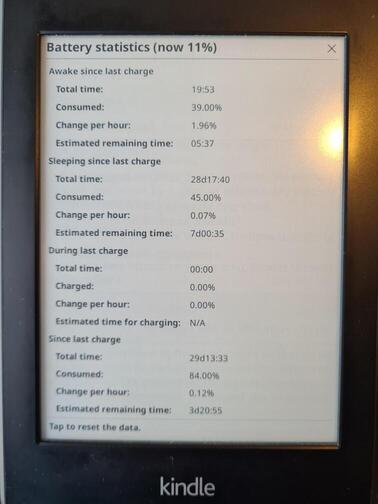
Also, shoutout to my 11 year old Kindle still netting me well over a month of battery time – I wish more things in my life had this kind of battery life!